Email that knows what each message asks of you.
Screen new senders at the Doorway, let mail land in Inbox, Feed or Paper trails, keep every answer you owe in view, and keep your own address private. All from your own Kistrl address.
In Mail
- The DoorwayThe first time someone writes to you, their mail waits at the Doorway. One decision sends it, and everything they send later, to the place you chose.
- Inbox, Feed and Paper trailsMail that needs you, reading you choose, and the receipts you keep. Each kind of mail gets its own place, and each place works the way that mail deserves.
- Follow-upThree marks for mail you cannot deal with right now, each meaning something different. Focus & Reply lines up every answer you owe, and one click follows up on mail you sent.
- Privacy and safetyEvery message opens in its own sandboxed frame. Choose whether remote content loads directly, through Kistrl Proxy, or only when you ask.
- AddressesYour username is your address. Add a topic to it whenever you like, generate random privacy addresses for shops and sign-ups, and bring your own domain.
- Speed and keyboardA command palette that reaches everything, a keyboard path for every action, mail that stays readable offline, and an undo window on every send.
- RecyclingMost old email is never opened again. Recycling removes what you no longer need, by stream or by sender, and never touches what you are still using.
- Send from another addressConnect a Gmail, iCloud or work address and choose it in the From field. Kistrl sends through that address's own provider, so the message arrives from you and is signed by your provider.
You decide who gets in
The first time someone writes to you, their mail waits at the Doorway. One decision sends them, and everything they send later, where it belongs. Strangers never reach your Inbox just by knowing your address.
Three places, not one pile
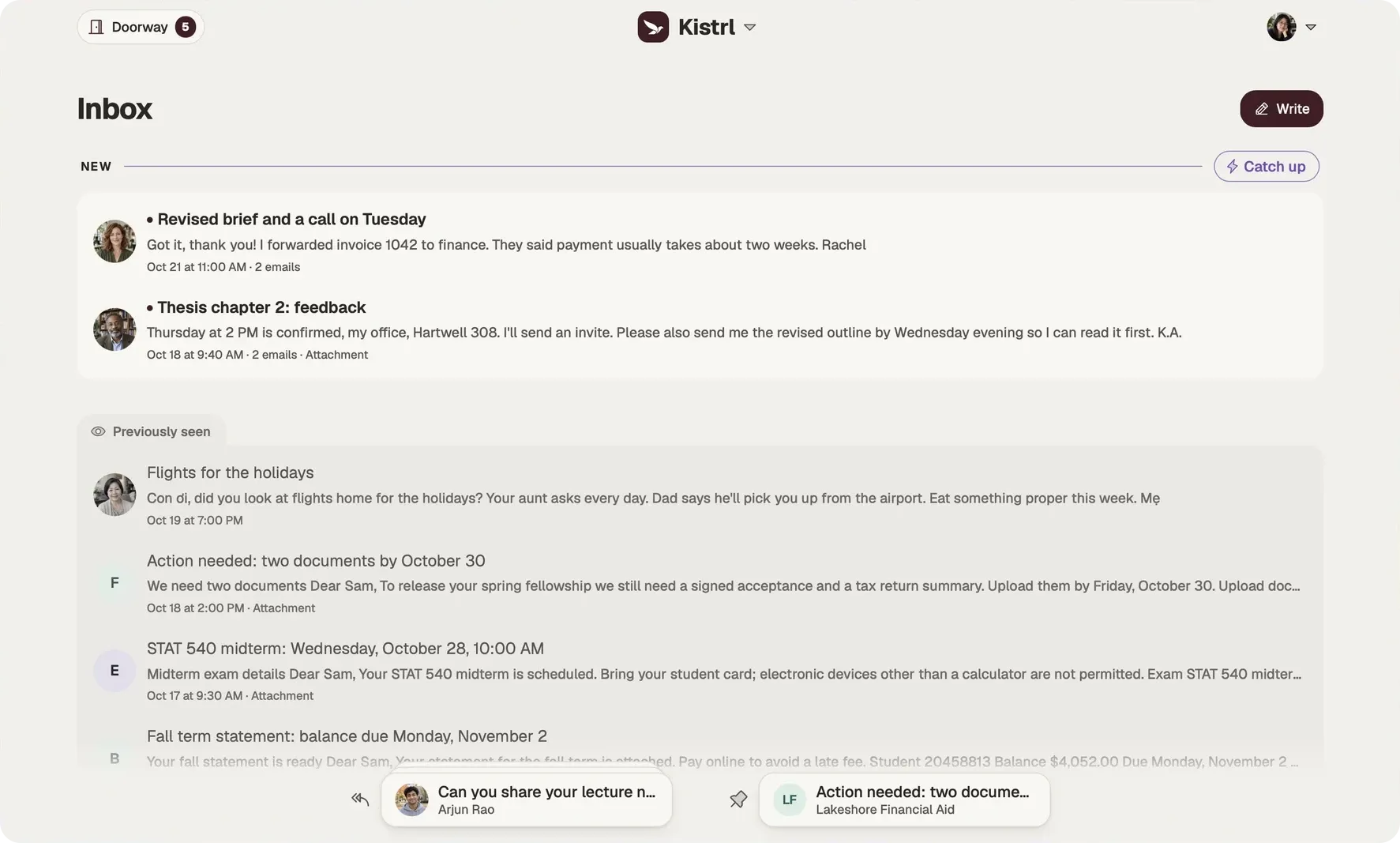
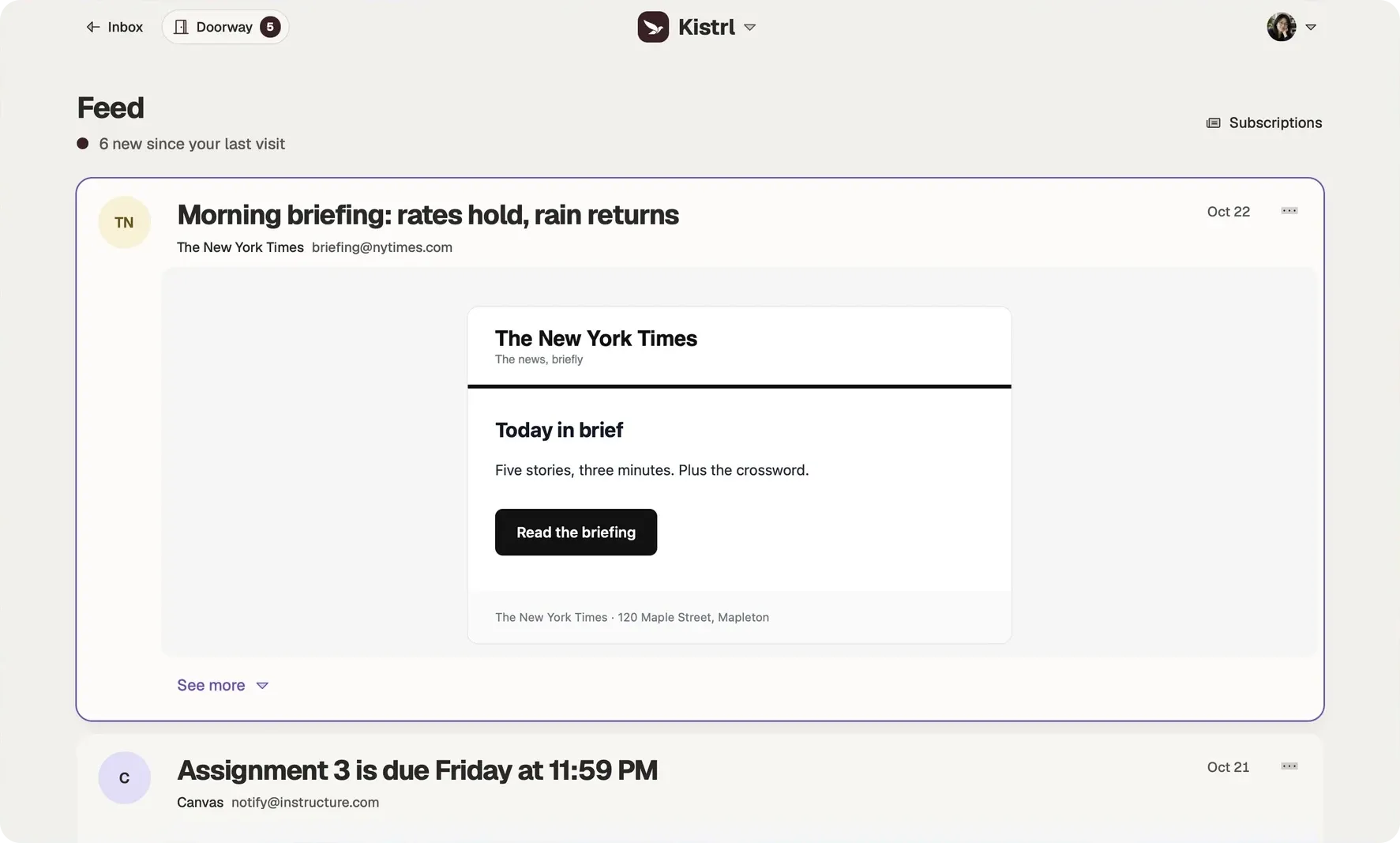
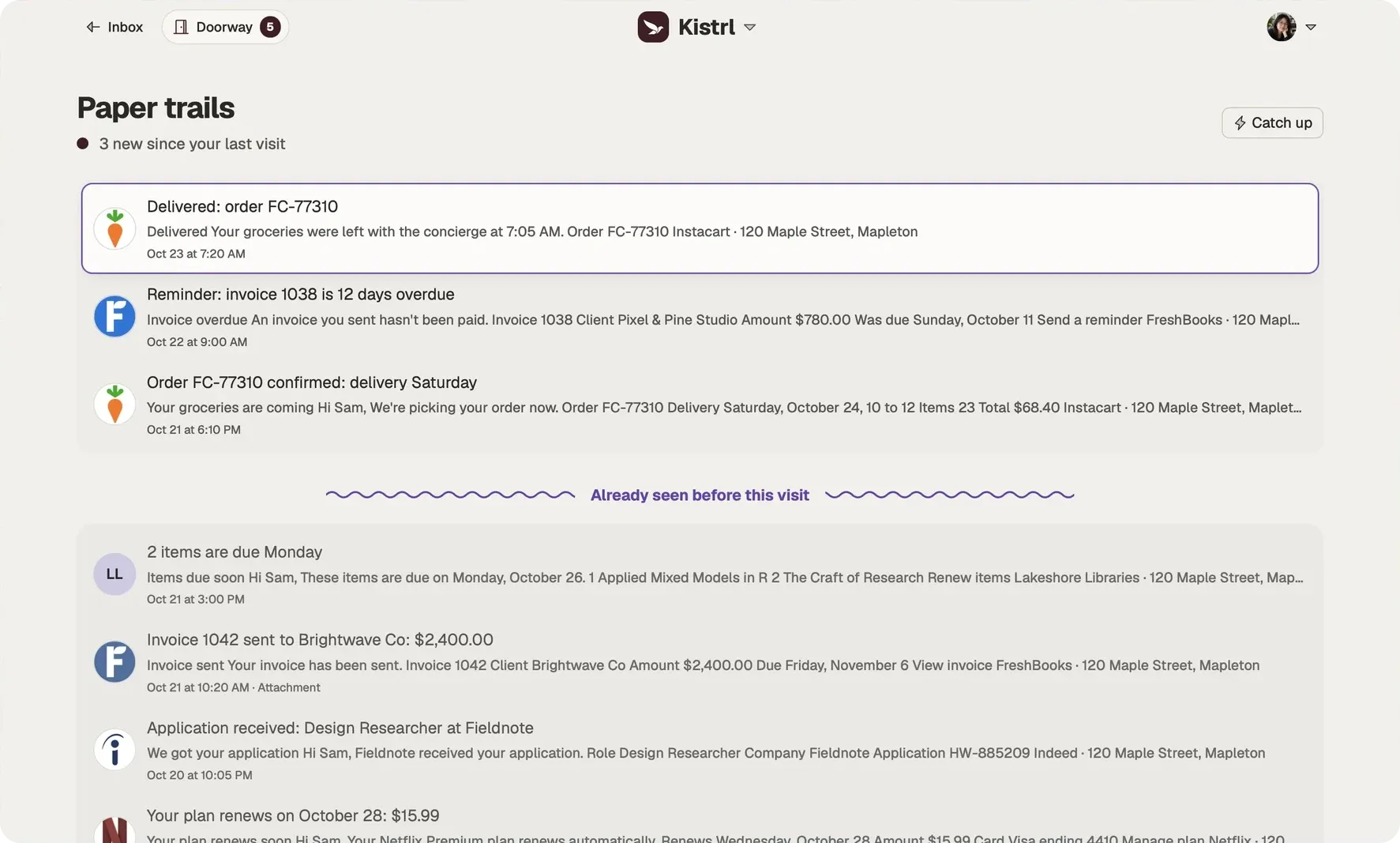
Mail that needs you goes to the Inbox: conversations with people, and the important matters that ask you to act, like a bill that is due or a form to sign. Newsletters go to the Feed, receipts and confirmations to Paper trails. Each place works the way that mail deserves. See Inbox, Feed and Paper trails.
Answer when you are ready
Mark what you owe with Reply later, keep reference close with Set aside, and let a conversation Bubble up at the time you pick. Then answer everything in one sitting with Focus & Reply, and follow up on mail you sent with one click. See Follow-up.
Reminder if no reply
Choose Remind me if no reply in the Send options and pick a day. If nobody has answered by then, the conversation returns to your Inbox under No reply yet, and Kistrl notifies you, so a question you asked never goes quiet. See Follow-up.
Tidy without trying
Let old newsletters, receipts and spam recycle themselves after an age you choose, by stream or by sender. Unread and marked mail is never touched.
Private by design
Give each shop its own privacy address and block it the day spam starts. Every message opens sealed, and images from new senders wait for you.
Quick under the hands
A command palette that reaches everything, a keyboard path for every action, mail that stays readable offline, and an undo window on every send. See Speed and keyboard.
The same account. Three different kinds of attention.
Sam’s interview update needs an answer, so it belongs in the Inbox. A New York Times briefing can wait for reading time. An Instacart delivery confirmation is there when it is needed.
Answer in Inbox.
Conversations and the matters that need Sam stay together, including the update moving Sam’s interview.
Read in Feed.
Newsletters and updates open as reading cards, without joining the reply queue.
Find a record in Paper trails.
Receipts, invoices and delivery notices remain available without filling the Inbox.
A tour of the three places
Questions
Do I need another email address to use Kistrl?
No. Pick a username and a password; the username becomes your Kistrl address.
What happens when someone writes to me for the first time?
Their mail waits at the Doorway until you choose Inbox, Feed, Paper trails, Not now or Spam. The choice applies to everything they send later.
Can I bring my old mail?
Yes. Forward your old provider's mail to your import-only address in Settings, then Forwarding.
Further reading
- AI cold email: why sales mail from strangers got better, and how to keep it outLanguage models made personal-sounding sales email almost free to send. Spam filters judge messages, and these messages look fine. Judging the sender instead keeps them out.
- How to screen new senders when your address is GmailGmail sorts messages after they arrive. It has no step that holds a first-time sender until you decide. You can add that step and keep your Gmail address, by forwarding your mail to an inbox that screens.
- Inbox zero without the daily effortInbox zero fails when it depends on a decision for every message, every day. Decide once for each sender, keep reading and records out of the inbox, and give "later" a place, and the inbox reaches zero with little work.
Start your 30-day free trial
Pick a username and it becomes your Kistrl address. No card needed.