Every attachment, and every file you keep, in one place.
Attachments from the mail you let in are gathered for you. Keep your own files beside them, search their names and contents, and share any of them with a link that expires.
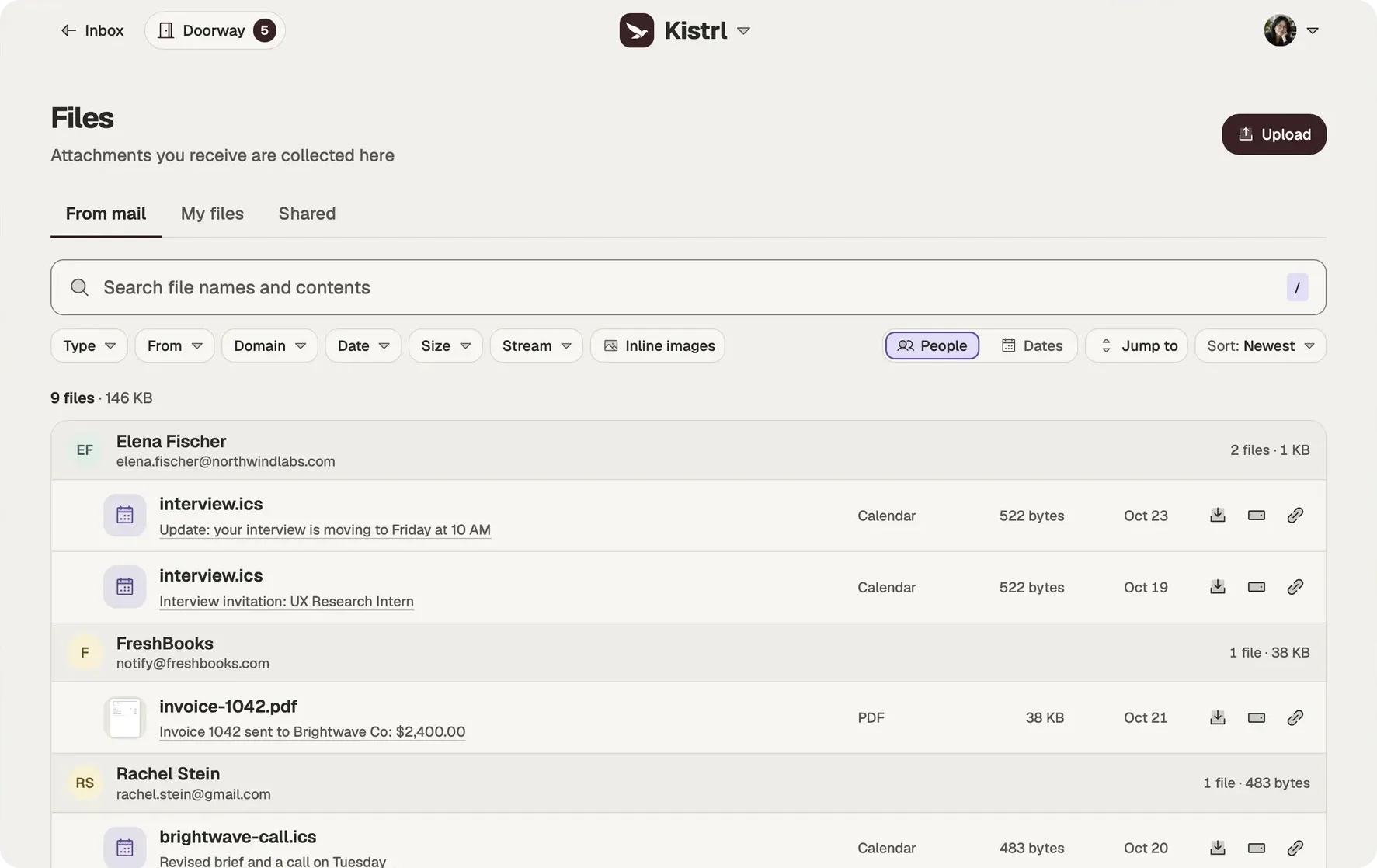
Every attachment, already there
Every attachment from mail you have let in is listed in Files, without saving anything by hand. Files from the Doorway, Spam and Trash stay out, so the library holds what you actually received from people and services you chose.
My files
Keep your own files beside them in My files, independent of any email. Save an attachment to My files with one action when you want to keep it for good.
Find it by what it says
Search covers file names and contents, so the contract you remember a sentence of turns up without remembering who sent it.
Share with a link that expires
Share a file from My files, or any attachment, to create a link with an expiry date. Kistrl keeps only a fingerprint of the link, so it cannot leak from your account; copy it when you make it, and make a new one whenever you need. When you share an attachment, a copy is saved to My files first, so the link keeps working even if the email is trashed or recycled. Remove a link at any time.
Share into Kistrl
Choose Kistrl from another app’s share menu to start a new email with what you shared.
Find the document, not just the conversation.
Sam’s syllabus, financial-aid documents and invoice PDFs already arrived by email. Files provides another way back to them.
Look for the document.
Use the library when you remember the file more clearly than the email.
Check its context.
The sender and source help distinguish similar documents.
Keep your own files too.
Uploads are separate from attachments gathered from accepted mail.
Find an attachment
Questions
Which attachments appear in Files?
Attachments from mail you have let in. Files from the Doorway, Spam and Trash stay out.
Can I keep files that did not come by email?
Yes. My files holds the files you keep, independent of any email.
How do share links work?
Share a file from My files, or any attachment, to create a link with an expiry date. Kistrl keeps only a fingerprint of the link, so copy it when it is made; you can remove it or make a new one at any time.
Can I search inside files?
Yes. Search covers file names and their contents.
Every attachment, already gathered.
Pick a username and it becomes your Kistrl address. No card needed.