AI that waits to be asked.
Organizing that marks what needs an answer and links receipts into timelines, codes and security notices pulled out of mail, help when you write, and your own agent connected over MCP. All of it is off until you turn it on.
In AI
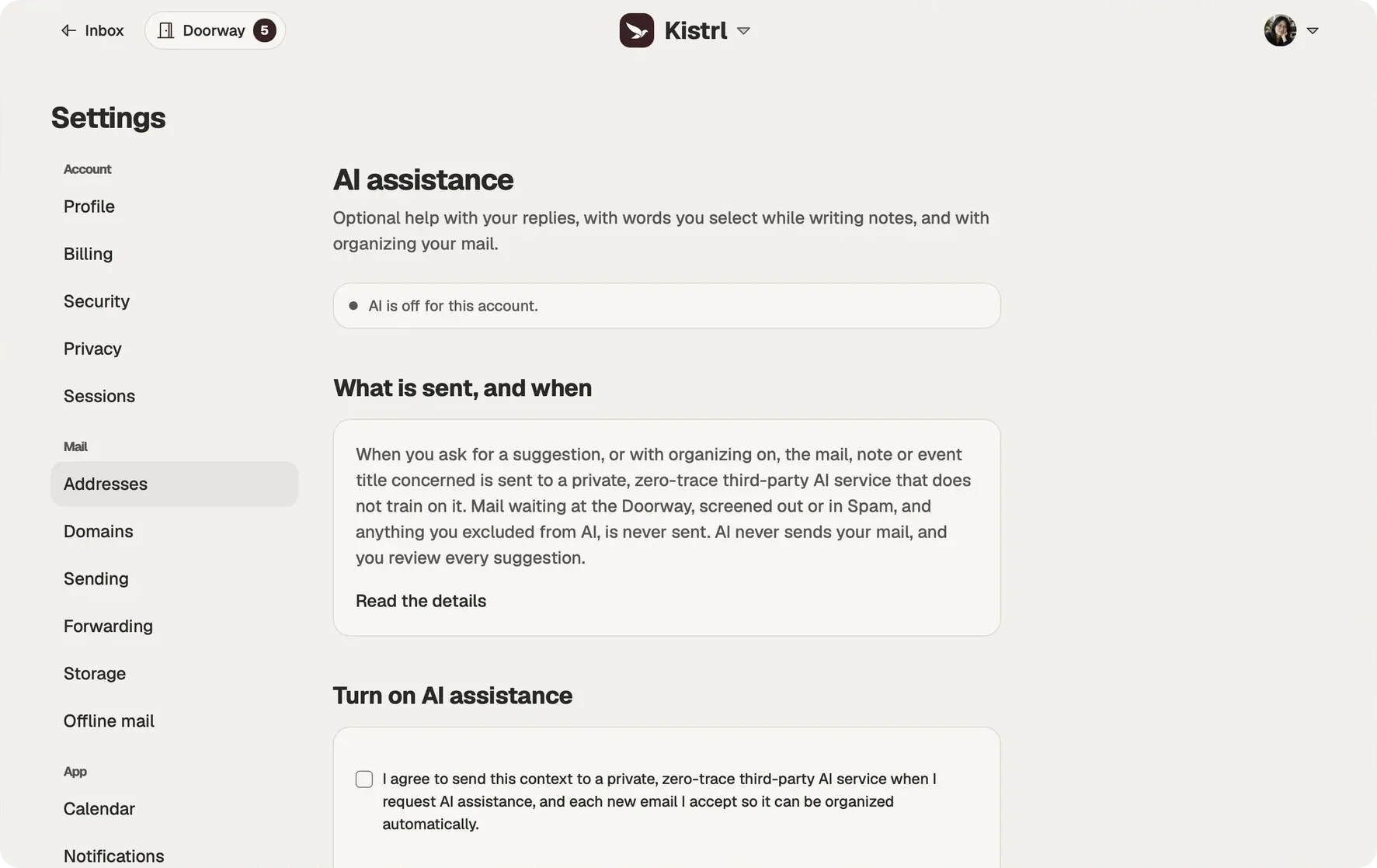
Off until you say so
AI assistance is optional. It stays off until you turn it on in Settings, and turning it on is one consent that covers replies, notes and organizing. Organizing can be switched off on its own. While AI is off, none of it runs. Every request goes to a private, zero-trace third-party AI service that does not train on what it receives. Read the principles we hold ourselves to.
Organizing, done for you
With organizing on, Kistrl reads each new email you accept once and sorts it: it marks the conversations waiting for your reply, links mail about the same purchase, booking or bill into one timeline in Paper trails, and fills in the type of each record. Mail you already had is only organized if you ask for the last 30 days.
Codes, deadlines and security notices
The one-time code in a sign-in email, the security notice about your account, the date a form is due: organizing shows what an email brings, where you need it. It can alert you to a security alert, a deadline today or tomorrow, or a new to-do made from a message, even for senders you do not get notifications from. Discount codes printed in the offers that reach your Feed are collected in one place until they run out.
Help with what you write
Ask for a reply suggestion and Kistrl sends the selected conversation, your draft and your tone preferences, nothing more. In notes, select words and ask for a suggestion; only the words you chose change, and only if you accept. Reflect asks one question and leaves your writing untouched. AI never sends your mail.
Your own agent, over MCP
Already work with an AI agent? Connect it to Kistrl as a remote MCP server and choose what it may read and change, from mail to habits. It can never send mail or delete anything. See Agents over MCP.
Search that reaches everything
Search all your mail with filters for sender, recipient, dates and attachments, search the contents of your files, and search every entry of your journal. When an agent searches for you, you can have the passages it found checked, with addresses and numbers hidden, so weak matches are dropped before it answers.
What never leaves
Mail at the Doorway, mail you screened out, Spam, and anything you excluded from AI are never sent. Choose Turn off AI at any time; your drafts and scheduled sends stay as they were.
Start with consent, then ask for a useful result.
Sam’s AI assistance is off. The controls make that choice visible before any optional organizing or writing help is demonstrated.
Choose whether to enable it.
AI assistance is optional and can be turned off.
Control organizing separately.
Related timelines and deadline extraction depend on the relevant AI settings being enabled.
Review the result.
Writing suggestions remain yours to accept, edit and send.
Optional AI, one result at a time
Questions
Is AI on by default?
No. AI assistance is off until you turn it on in Settings, then AI assistance. While it is off, none of it runs.
Can AI send email for me?
No. AI never sends your mail, and you review every suggestion. Agents you connect can write drafts, which you send yourself.
Where does my mail go when AI is on?
Every request goes to a private, zero-trace third-party AI service that does not train on what it receives.
What is never sent to AI?
Mail waiting at the Doorway, screened out or in Spam, and conversations and contacts you excluded from AI.
Can I keep writing help but turn organizing off?
Yes. Organizing can be switched off on its own, and checking agents' searches has its own switch.
Help when you ask for it, and never before.
Pick a username and it becomes your Kistrl address. No card needed.