One mailbox, as many addresses as you need.
Your username is your address. Add a topic to it whenever you like, generate random privacy addresses for shops and sign-ups, and bring your own domain.
Your username is your address
Creating an account takes a username and a password, nothing else. The username becomes your Kistrl address, and your mailbox is ready the moment you sign up.
Topic addresses, with nothing to set up
Put +topic, -topic or .topic after your username and you have a new address: yourname+shop, yourname-travel, yourname.newsletters. Mail to any of them lands in your mailbox, and you can see at a glance where it came from.
Privacy addresses for everything else
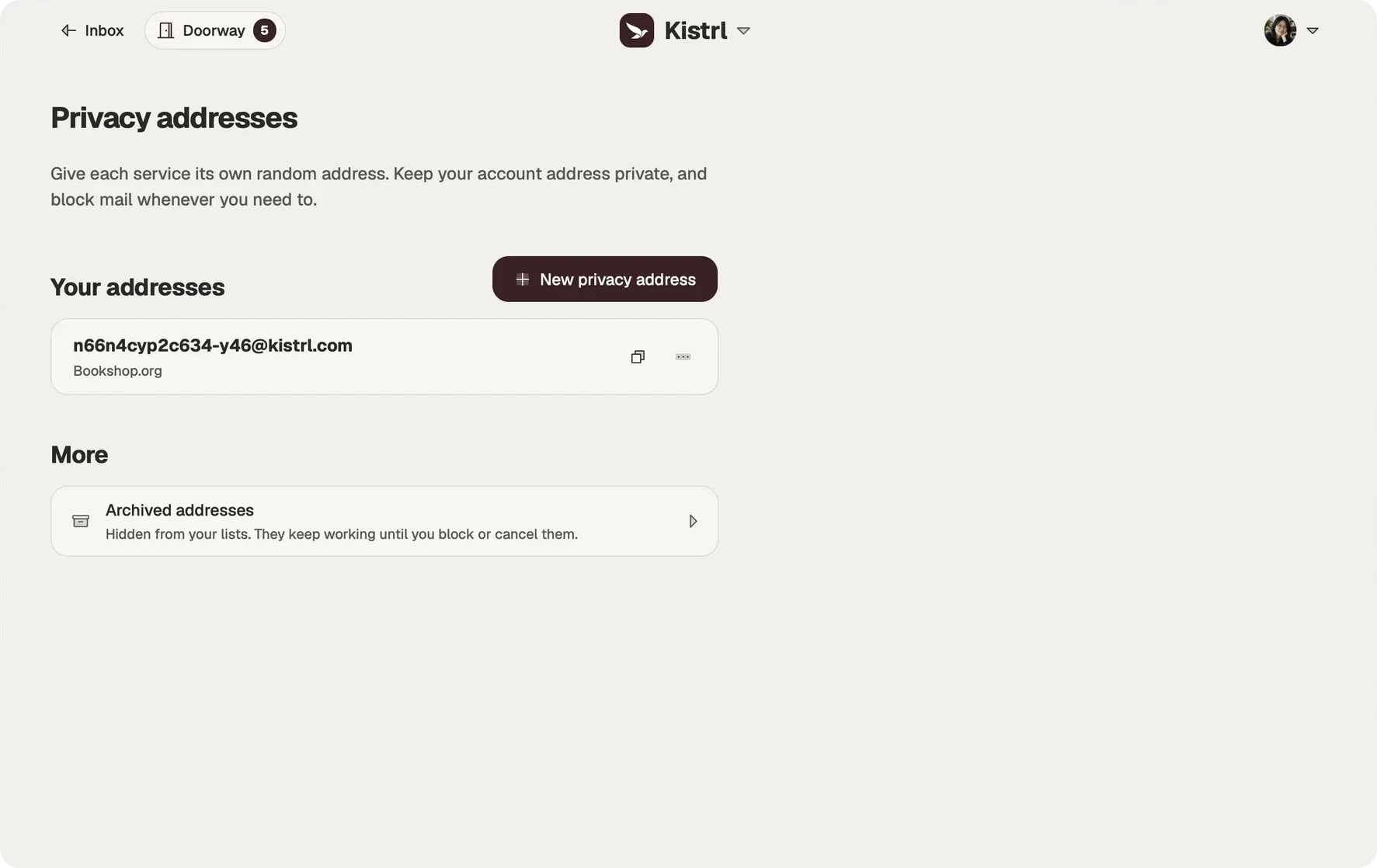
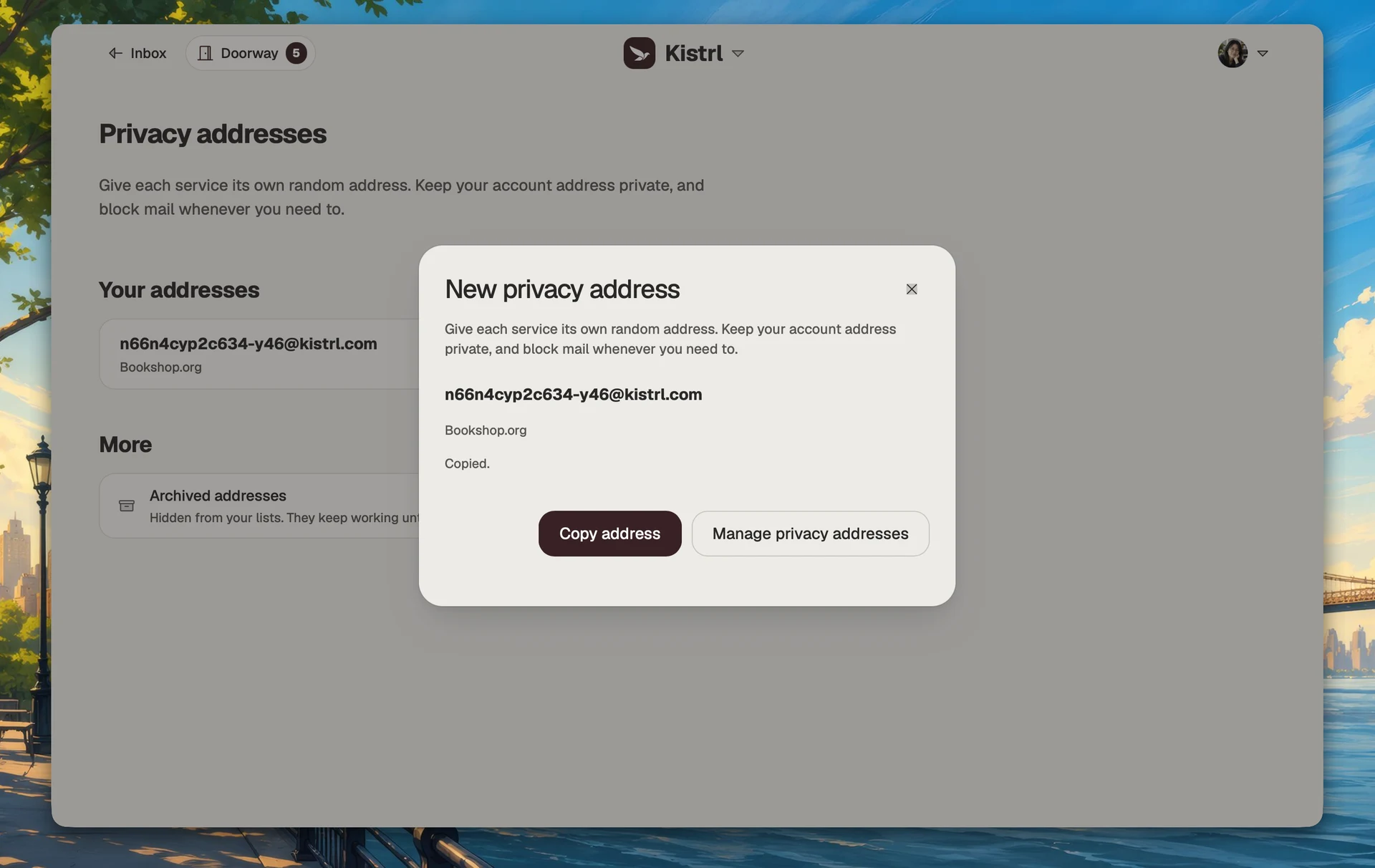
A privacy address is random and does not reveal your username. Generate one from the command palette, give it a private label so you remember what it is for, and use it for a shop, a newsletter or a one-off sign-up.
- Block stops mail to that address. You can unblock it later.
- Cancel is permanent. The address stops receiving and sending, and it is never given to anyone else.
- Archive hides it from your lists while it keeps working.
When you write a new message, you can send from any active address you own.
Bring your own domain, and your old mail
Use a domain you own for email by adding it in Settings and following the DNS steps Kistrl shows; your website’s records stay unchanged. To move gradually, forward your old provider’s mail to your import-only address, and keep copies of new mail at up to five verified addresses elsewhere.
Keep a service separate from your main address.
Use a privacy address for a new sign-up and give it a private label. It still reaches the same account, while the service does not receive your main username.
Create one for the service.
Generate a privacy address when a form asks for an email address.
Remember what it is for.
A private label identifies the service without becoming part of the address.
Control it independently.
Block unwanted arrivals to that address without changing the one people already know.
Make an address for one sign-up
Questions
Do I need another email address to sign up?
No. Pick a username and a password. The username becomes your Kistrl address.
What is a topic address?
Your username with a topic after it, such as yourname+shop, yourname-travel or yourname.newsletters. There is nothing to set up, and mail to any of them arrives in your mailbox.
What is a privacy address?
A random address that does not reveal your username. Give each service its own, and block or cancel it whenever you need to.
Can I use my own domain?
Yes. Add it in Settings, then Domains, and follow the DNS steps Kistrl shows. Custom-domain activation may not be switched on for your service yet; Settings tells you when that is the case.
Can I bring mail from my old provider?
Yes. Turn on forwarding at your old provider to the import-only address in Settings, then Forwarding.
Further reading
- Who leaked my email address? How to find out which service shared itWith one address for everything, you cannot tell where spam got your address. Give each service its own address, and the address a message arrives at tells you which one was exposed.
- Keep Gmail, read it in Kistrl: forward your Gmail in five minutesYou do not have to give up your Gmail address. Forward it to Kistrl once, and new senders wait at the Doorway while your Gmail inbox stays quiet.
- Keep a copy of your Kistrl mail in GmailKistrl can send a copy of every new message to your Gmail address as well. Add Gmail as a destination, confirm it with a code, and your Gmail inbox keeps a copy while Kistrl stays the place you read.
Start your 30-day free trial
Pick a username and it becomes your Kistrl address. No card needed.