How to screen new senders when your address is Gmail
Gmail sorts messages after they arrive. It has no step that holds a first-time sender until you decide. You can add that step and keep your Gmail address, by forwarding your mail to an inbox that screens.
Your Gmail address is on every account you own, and hundreds of people have it. Changing it is not realistic. But the inbox behind it lets everyone in: a shop you used once gets the same place as your closest friend.
You can keep the address and change the inbox.
What Gmail gives you
Gmail has good tools for mail that has already arrived.
- Tabs put promotions and social updates in separate lists. Gmail decides which message goes where.
- Filters apply a rule you write to every matching message. Each new kind of mail needs a new rule.
- Block sends one sender’s future mail to spam, after their first message has reached you.
All three work on messages, or work after the fact. None of them asks the question that keeps an inbox quiet: this person has never written to you before, so do you want to hear from them, and where?
What screening adds
With sender screening, a first-time sender’s mail waits outside your inbox. You decide once for each sender, and the decision covers everything they send later. You write no rules. The work stays small, because a week brings far fewer new senders than new messages.
Add screening to a Gmail address
The method is forwarding. Gmail keeps receiving your mail and passes a copy of each new message to a second inbox that screens senders. You read your mail there.
- Open an account with an email service that screens senders, and find the address it gives you for forwarded mail.
- In Gmail on the web, add that address as a forwarding address and confirm it. Gmail’s settings for this are only in a browser.
- Choose what Gmail does with its own copy. Archive it, and your Gmail inbox stays empty while you read elsewhere.
- Turn off Gmail’s notifications on your phone. If you leave them on, every message will notify you twice.
- Decide about senders as they arrive. The first days are quiet, because only new mail is forwarded. Within a week most of your regular senders have written once, and each has a place.
You can undo all of this by switching forwarding off in Gmail.
What to know before you start
- Old mail stays in Gmail. Forwarding starts from the moment you turn it on.
- Nothing goes back. Reading or archiving in the second inbox does not change Gmail.
- Gmail’s spam is not forwarded. Gmail’s spam filter still runs first.
- A school or company account may not allow forwarding. Ask your administrator.
In Kistrl
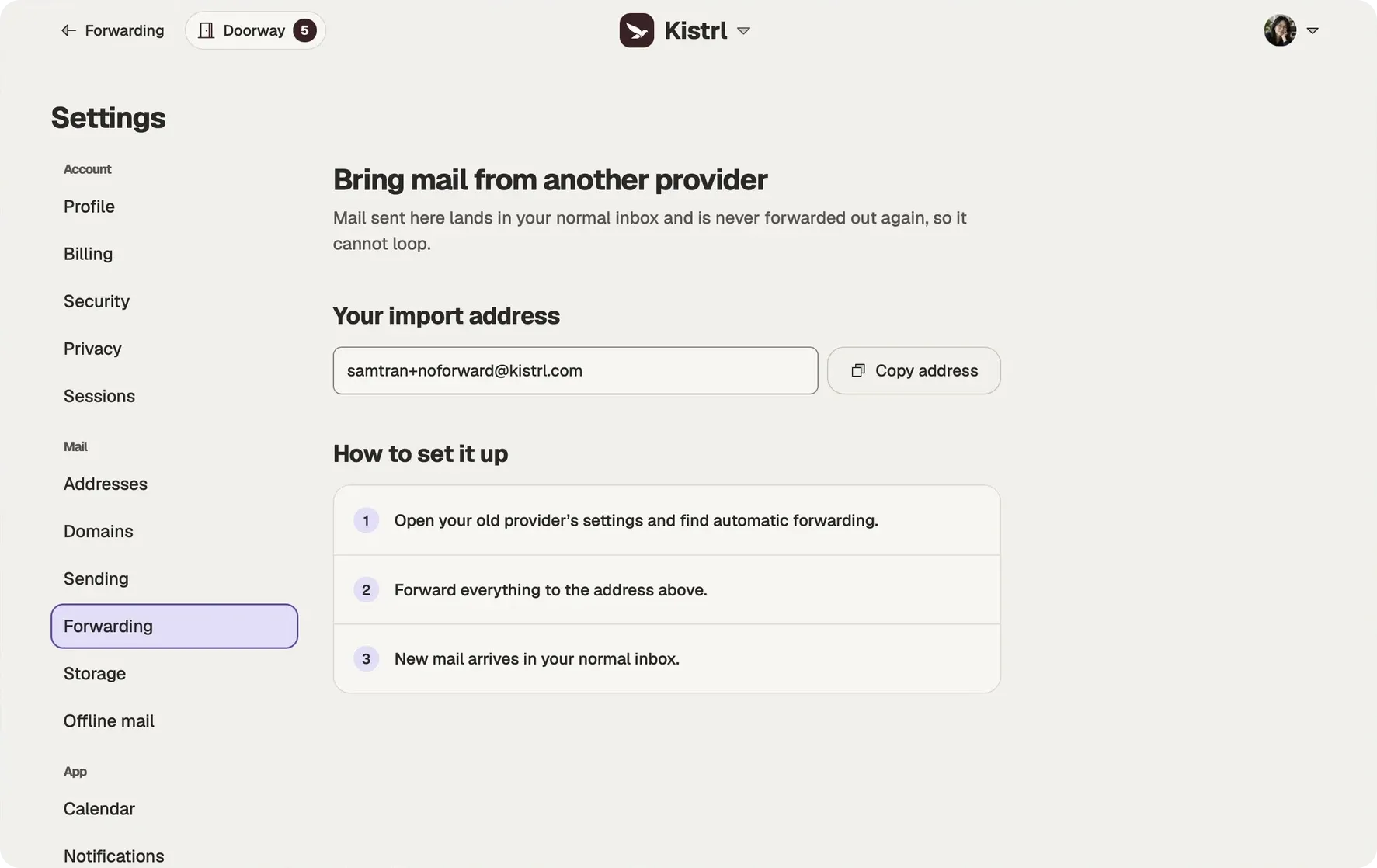
Kistrl is built for this. Forward your Gmail to the import-only address in Settings, then Forwarding, and each new sender waits at the Doorway until you choose Inbox, Feed, Paper trails, Screened out or Spam.
To answer from your Gmail address, connect it for sending. Gmail then sends the message, so people see the address they know. Sending from another address may not be switched on for your Kistrl service yet; Settings tells you when that is the case.
Follow the steps with screenshots in Keep Gmail, read it in Kistrl.
Start fresh. Keep your old address working.
Forward new arrivals into Kistrl’s import-only address. Your old history can stay where it is while you try a fresh inbox.
Keep the old provider’s copy.
Configure forwarding and copy retention at the old provider, then test with a new message.
Use the import-only address.
Imported arrivals are never forwarded out again, preventing a forwarding loop.
Keep copies when useful.
Eligible direct Kistrl arrivals can also go to a verified archive destination. Copies do not synchronize read state, folders or sent mail.