New senders wait at the door until you decide.
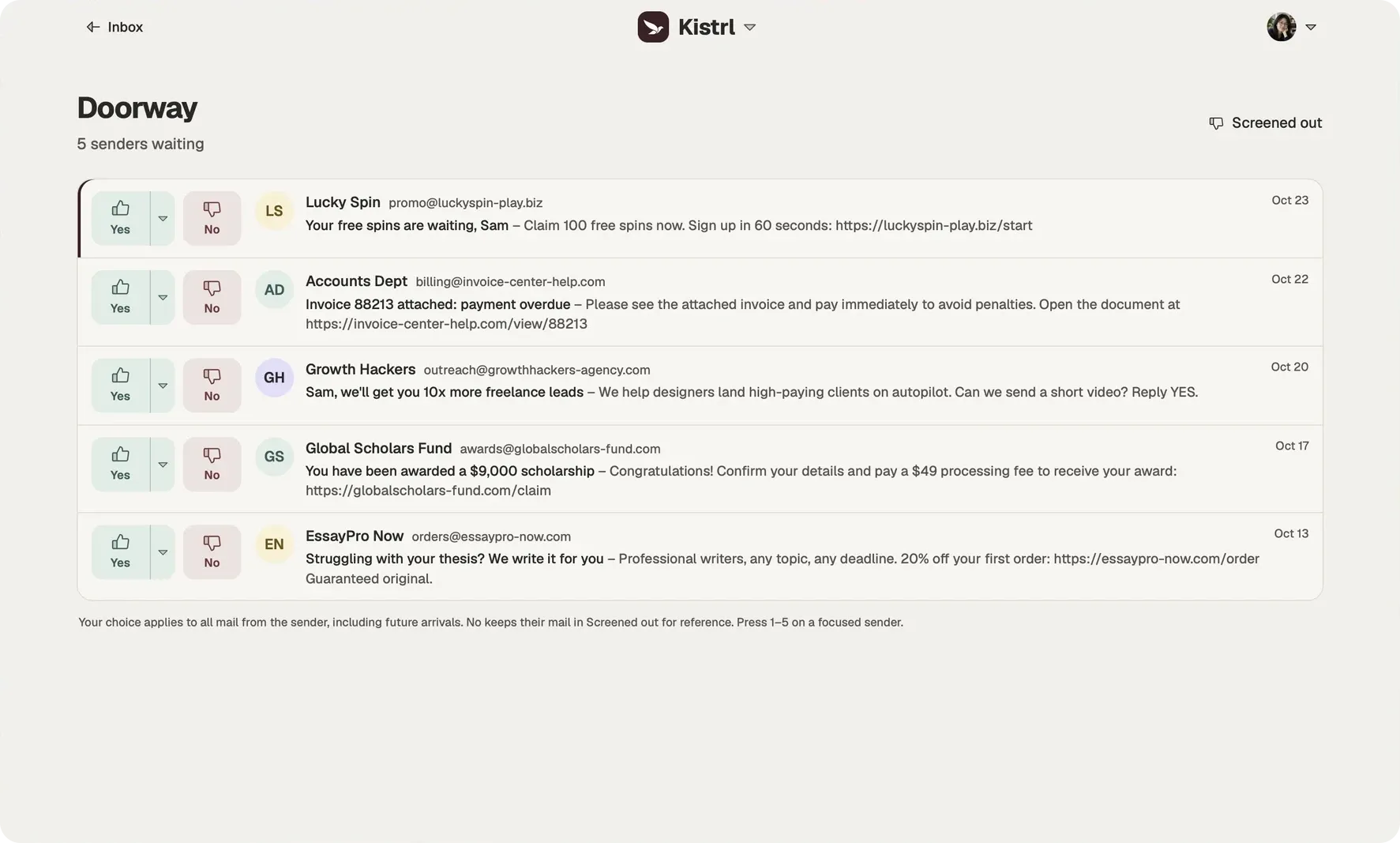
The first time someone writes to you, their mail waits at the Doorway. One decision sends it, and everything they send later, to the place you chose.
Email with a front door
Most email apps treat every message as if it were invited. A stranger, a shop you bought from once and your closest friend all land in the same list, in the order they arrived. Kistrl starts from the opposite end: nobody reaches your Inbox until you let them in.
The first time a sender writes, their mail waits at the Doorway. You see who they are, what they sent and when. Then you make one decision.
Five places a sender can go
- Inbox for people you want to hear from, and senders whose mail needs your attention.
- Feed for newsletters, updates and other reading.
- Paper trails for receipts, confirmations and notices.
- Screened out for senders you are not ready to decide on.
- Spam for mail you never want to see.
Press 1 to 5 to decide without reaching for the pointer. After each decision the next waiting sender opens on its own, and when nobody is left, Kistrl tells you the doorway is clear.
One decision, remembered
A decision applies to everything that sender sends, now and later. You make it once, and their mail goes where it belongs from then on. Change it whenever you like from the sender’s contact page, or set a rule for a whole domain so everyone from one organisation lands in the same place.
Safe while they wait
Mail at the Doorway is never sent to AI. External images follow your account’s Privacy setting: load directly, load through Kistrl Proxy, or wait for you to choose Load content. Choose Block until I choose if you want remote content to stay blocked while you review a new sender.
A stranger’s email is a decision, not an interruption.
Sam Tran studies and freelances. Unfamiliar senders are waiting outside the Inbox, where Sam can check them without mixing them into conversations.
Look at who is writing.
Sam checks the sender and address before trusting a message about an overdue invoice.
Choose where they belong.
Yes sends a sender to Inbox. The menu offers Feed, Paper trails and Spam; No keeps mail in Screened out.
Keep that decision.
The next message follows the sender’s routing. Sam can change the choice from Contacts later.
Watch a sender decision
Questions
What happens to mail from someone who has never written to me before?
It waits at the Doorway, marked Unscreened, instead of going to your Inbox. You decide where it belongs.
What choices do I have for a new sender?
Five. Inbox, Feed, Paper trails, Screened out and Spam. With the mail panel focused, the number keys 1 to 5 choose them.
Does my decision apply to future mail?
Yes. It applies to all mail from that sender, including mail that arrives later.
Can I change my mind about a sender?
Yes. Open the sender in Contacts and pick a different default stream. Nothing is final.
Can a sender track me while they are waiting?
External content follows your Privacy setting. Choose Block until I choose to keep remote images from loading until you request them.
Further reading
- AI cold email: why sales mail from strangers got better, and how to keep it outLanguage models made personal-sounding sales email almost free to send. Spam filters judge messages, and these messages look fine. Judging the sender instead keeps them out.
- How to screen new senders when your address is GmailGmail sorts messages after they arrive. It has no step that holds a first-time sender until you decide. You can add that step and keep your Gmail address, by forwarding your mail to an inbox that screens.
- Unsubscribe, block, report or screen: what stops unwanted emailEach tool stops a different kind of unwanted mail, and each one works only after the mail has reached you. Here is which to use for which sender, and how screening removes most of the work.
Start your 30-day free trial
Pick a username and it becomes your Kistrl address. No card needed.