Three places for three kinds of mail.
Mail that needs you, reading you choose, and the receipts you keep. Each kind of mail gets its own place, and each place works the way that mail deserves.
Mail is not all the same
A message from a friend asks for an answer, and a form from your child’s school asks you to act. A newsletter asks for a little attention, when you have it. A receipt asks for nothing at all, until the day you need it. Putting all of it in one list means each kind gets the wrong treatment.
Kistrl gives each kind its own place. When you let a sender in at the Doorway, you choose which one.
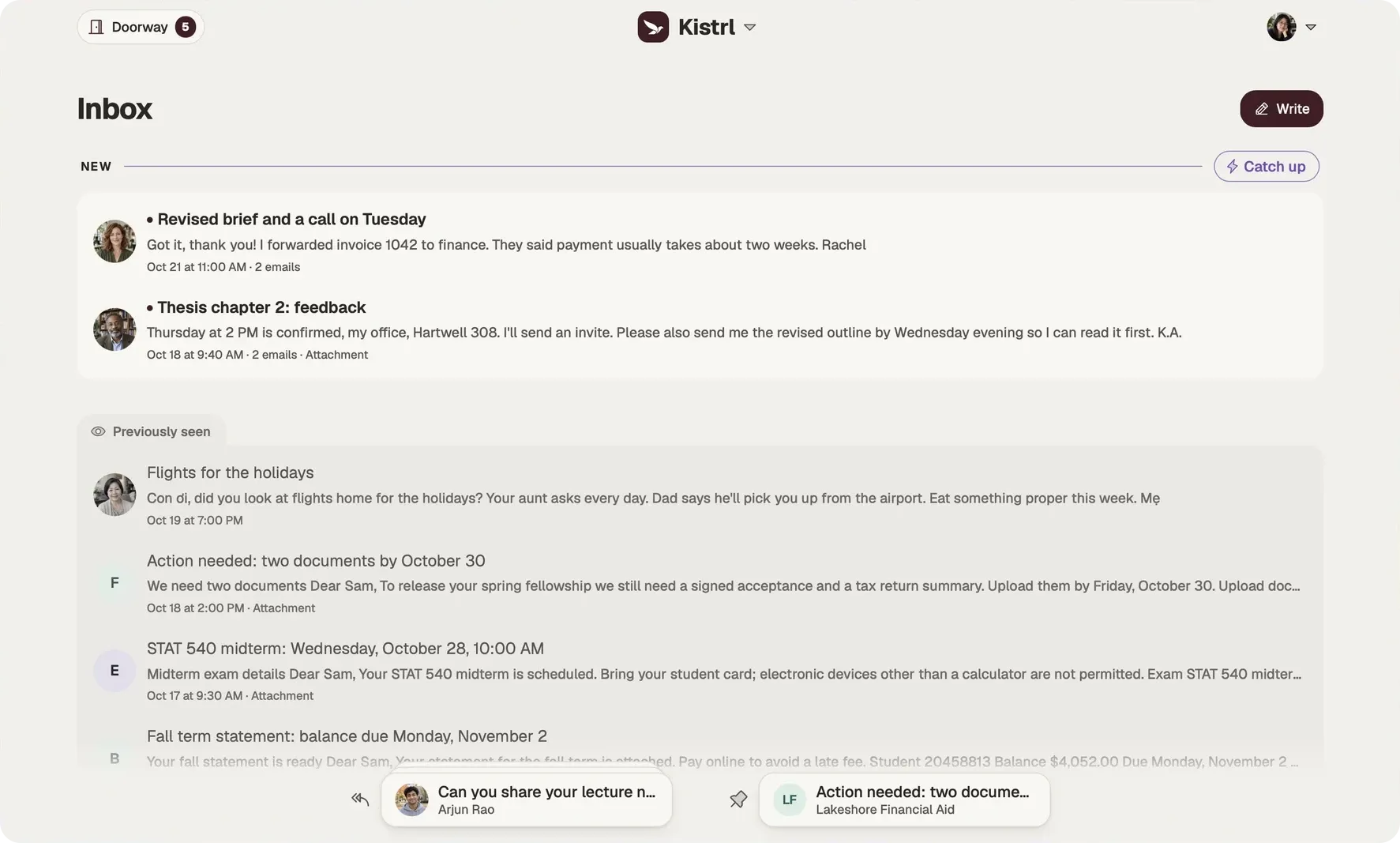
Inbox: what needs you
The Inbox holds the mail that needs you: conversations with people, and the important matters that ask you to do something, such as a bill that is due, a form to sign or a security notice about one of your accounts. With AI assistance on, Kistrl also marks the conversations waiting for your reply and points out deadlines, codes and security alerts.
New mail sits at the top under New, and what you have read under Previously seen, so you always know where you left off. When you want to read everything unread in one go, Catch up lines it up as one list you read from top to bottom. Paper trails offers the same for what arrived since your last visit. Select a few conversations and Read together does the same for just those.
Feed: reading at your own pace
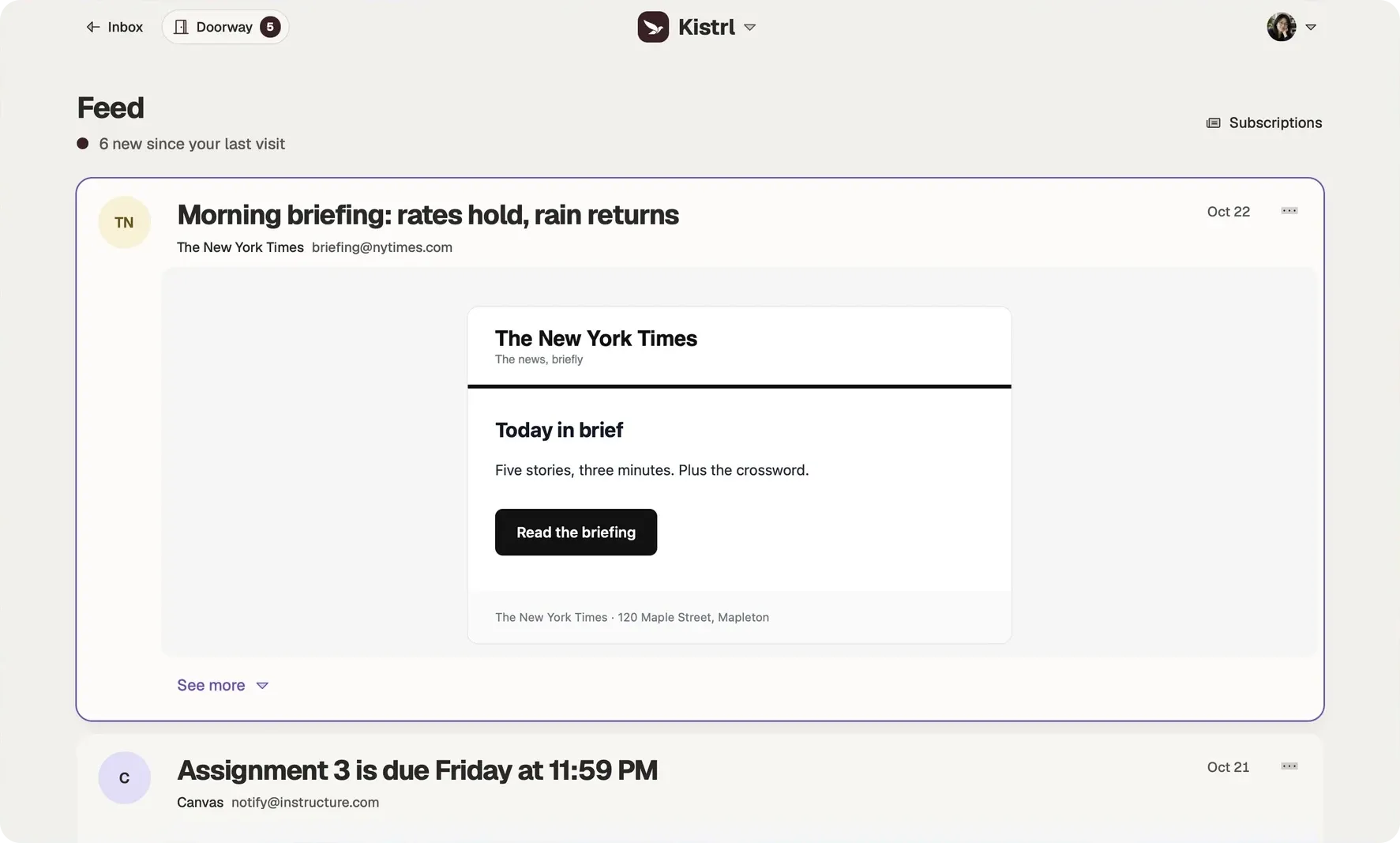
Newsletters and updates arrive in the Feed as individual messages, already open as reading cards. Choose Show more to read a whole message in place, filter by source, and see how many are new since your last visit. Nothing here asks for a reply, so nothing here feels like a debt.
Paper trails: what you keep
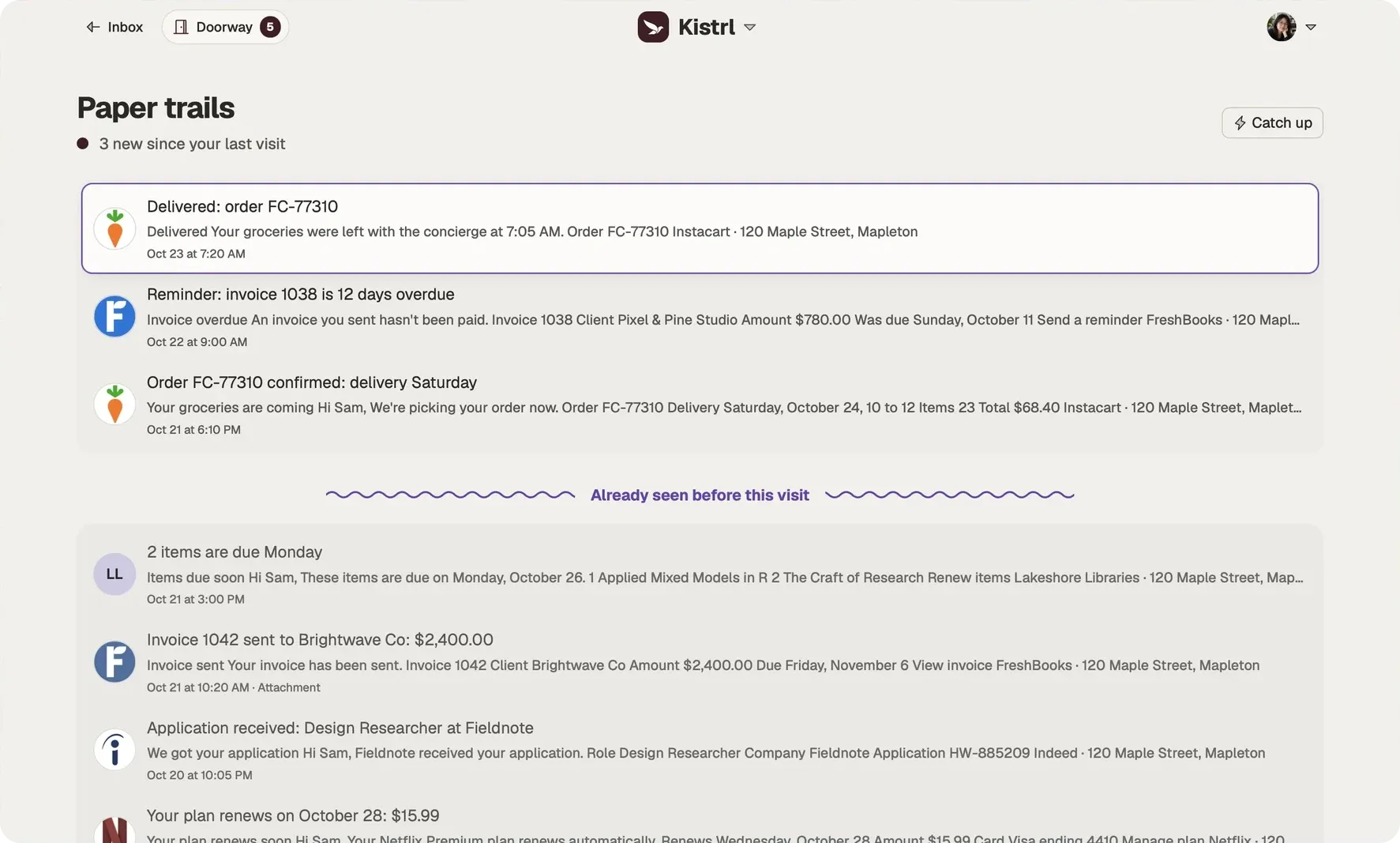
Receipts, confirmations and notices stay together as conversations, out of the way day to day. When several of them report on the same purchase or booking, such as an order and its delivery, each one shows their shared timeline. With AI assistance on, Kistrl links them for you. Rows show attachments, and you can filter by type.
Move a sender any time
Where a sender’s mail lands is your decision, and it applies to their past and future mail. Changed your mind? Move them.
The same account. Three different kinds of attention.
Sam’s interview update needs an answer, so it belongs in the Inbox. A New York Times briefing can wait for reading time. An Instacart delivery confirmation is there when it is needed.
Answer in Inbox.
Conversations and the matters that need Sam stay together, including the update moving Sam’s interview.
Read in Feed.
Newsletters and updates open as reading cards, without joining the reply queue.
Find a record in Paper trails.
Receipts, invoices and delivery notices remain available without filling the Inbox.
A tour of the three places
Questions
What goes in the Inbox?
Mail that needs you. That means conversations with people, and the important matters from senders you route there, like your bank, your landlord or your child’s school. Unread mail sits above what you have already seen, so you can tell where you left off.
How is the Feed different from the Inbox?
The Feed shows newsletters and updates as individual messages, already open as reading cards. Nothing in it asks for a reply, and it shows how many messages are new since your last visit.
What are Paper trails?
Receipts, confirmations and statements, kept together as conversations and out of your way until you need to look something up.
Where are Sent, Drafts, Archived and Spam?
They are always available, along with Screened out, Trash and All mail. Open the command palette with Command K or Ctrl K and choose where to go.
Further reading
- Newsletter overload: keep the reading, lose the clutterYou chose most of your newsletters, so unsubscribing from all of them is not the answer. Give them their own place, stop counting them as unread, and let old issues expire.
- People, newsletters and receipts: sorting email by what it asks of youFolders sort mail by topic. A better question is what each message wants from you, because that decides when and how you should deal with it.
Start your 30-day free trial
Pick a username and it becomes your Kistrl address. No card needed.