AI cold email: why sales mail from strangers got better, and how to keep it out
Language models made personal-sounding sales email almost free to send. Spam filters judge messages, and these messages look fine. Judging the sender instead keeps them out.
A stranger writes to you. They mention your job title, the city you work in and something your company announced last month. The tone is friendly and the grammar is perfect. Three days later a second message arrives: “Just bumping this to the top of your inbox.” Then a third.
Nobody wrote those messages by hand. A program found your address, read your public profile, and asked a language model to write a note that sounds personal. It did the same for thousands of other people that morning.
What changed
Cold email is not new. What changed is the cost. A personal-sounding message used to take a salesperson a few minutes. Now it takes a fraction of a cent, so the number of them can grow without anyone working harder.
The old signs no longer help. Poor spelling, a generic greeting and an odd layout used to give bulk mail away. A language model makes none of those mistakes.
Why your spam filter lets it through
A spam filter asks one question: does this message look like spam? It looks at the words, the links and the reputation of the sending server.
An AI cold email passes all three checks. The words are ordinary business language. There is one link, or none. The sender uses a real mail service with correct authentication. From the filter’s side, it looks the same as a message from a new client.
So the filter is asking the wrong question. Looking harder at the message will not help, because the message is fine. The problem is that you never asked to hear from this sender.
Ask about the sender, not the message
Sender screening asks a different question: have you agreed to hear from this person?
The first time anyone writes to you, their message waits outside your inbox. You look at the name and the address, and you decide once. The answer covers everything that sender sends afterwards.
This works against AI cold email for three reasons.
- Good writing does not help the sender. However well the message is written, it waits until you decide.
- One decision ends the whole sequence. The “bumping this” follow-ups come from the same sender, so they go where the first one went.
- You decide when you have time. Nothing interrupts you. You look at the waiting senders once a day, or once a week.
Three habits that help
- Read the address before the message. The text is written to hold your attention. The address tells you whether you know this person.
- Do not reply to say no. A reply tells the program that your address is read by a person, and many tools then mark you as “engaged”.
- Decide about the organisation, not only the person. Sales tools rotate between several senders at one company. If your email service lets you set a rule for a whole domain, use it.
In Kistrl
Kistrl holds every first-time sender at the Doorway. You see who wrote, what they sent and when, and you choose one of five places: Inbox, Feed, Paper trails, Screened out or Spam. The choice applies to everything that sender sends later, and you can set a rule for a whole domain.
Mail waiting at the Doorway is never sent to AI. In Settings, then Privacy, choose Block until I choose, and a stranger’s message loads no remote images until you ask, so opening it does not tell the sender that you read it.
Read How to screen new senders before they reach your inbox for the routine.
A stranger’s email is a decision, not an interruption.
Sam Tran studies and freelances. Unfamiliar senders are waiting outside the Inbox, where Sam can check them without mixing them into conversations.
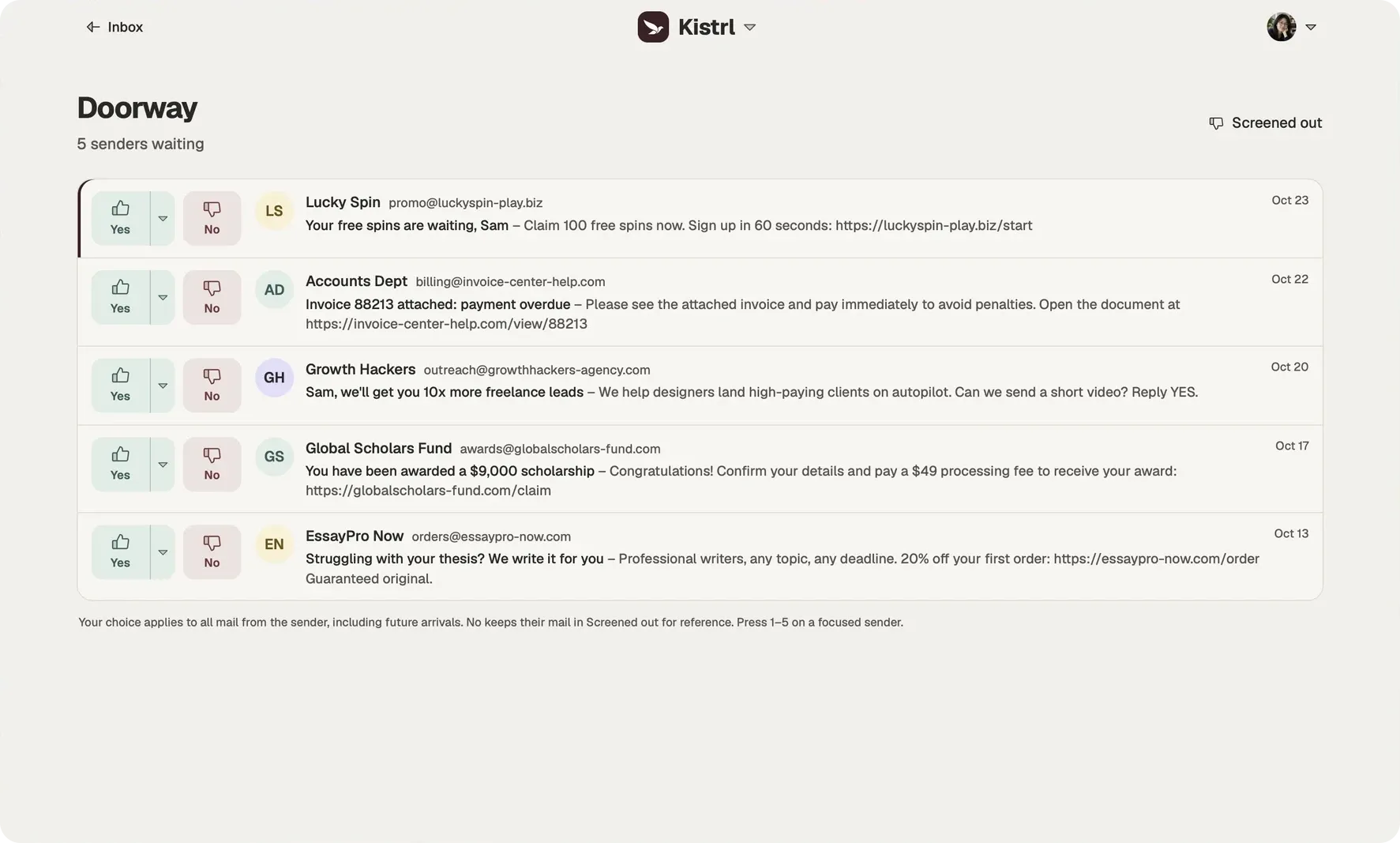
Look at who is writing.
Sam checks the sender and address before trusting a message about an overdue invoice.
Choose where they belong.
Yes sends a sender to Inbox. The menu offers Feed, Paper trails and Spam; No keeps mail in Screened out.
Keep that decision.
The next message follows the sender’s routing. Sam can change the choice from Contacts later.