How to screen new senders before they reach your inbox
Most of what clutters an inbox comes from people you never chose to hear from. Screening first-time senders fixes that at the source, with one decision per sender.
Open almost any inbox and count the senders in it you actually chose. A friend, a colleague, the school, the bank. Then count the rest: the shop you bought one thing from, the app that “keeps you posted”, the conference that got your address from a badge scan. In most inboxes the second group is larger, and it grows on its own.
Filters, unsubscribe links and folders all try to clean up after that mail has arrived. Screening works earlier. It asks one question the first time a sender writes: do you want to hear from them, and where?
What screening means
Sender screening holds mail from a first-time sender aside instead of delivering it to your inbox. You look at who it is, decide, and the decision sticks. Everything they send afterwards goes straight to the place you picked, or never bothers you again.
The important part is the unit of decision. You are not deciding about one message. You are deciding about a sender, once. That is why screening stays light even when a lot of mail arrives: the number of new senders in a week is small compared to the number of messages.
A simple routine
- Look at the sender, not the subject. Subjects are written to get a click. The name and address tell you who is actually writing.
- Decide where, not whether. “Let in” is too coarse. A newsletter you like is welcome, but it does not belong next to a message from your sister. Pick a place that matches what the mail asks of you: an answer, some reading time, or nothing until you need it.
- Allow “not now”. Some senders you cannot place yet. Parking them is better than letting them in by default.
- Revisit rarely. If a sender changes, move them. You should not need to do this often.
What to do with each kind of sender
- People you know or want to hear from go where you answer mail.
- Newsletters and updates you chose go somewhere you read at your own pace, without a sense of debt.
- Receipts, confirmations and statements go somewhere out of the way but searchable.
- Anything you never asked for goes to spam, where it cannot interrupt you again.
Screening is also a safety habit
A first message from an unknown sender is where most phishing starts. When new senders wait instead of mixing into your normal mail, an unfamiliar name stands out, and you have a moment to check the address before you trust the message. Pair screening with a setting that blocks remote content until you choose to load it. Screening alone does not determine whether remote images load.
In Kistrl
Kistrl builds this into the product as the Doorway. New senders wait there, marked Unscreened, until you choose Inbox, Feed, Paper trails, Screened out or Spam. The decision applies to everything they send later, the next waiting sender opens automatically, and you can change your mind from their contact page at any time.
A stranger’s email is a decision, not an interruption.
Sam Tran studies and freelances. Unfamiliar senders are waiting outside the Inbox, where Sam can check them without mixing them into conversations.
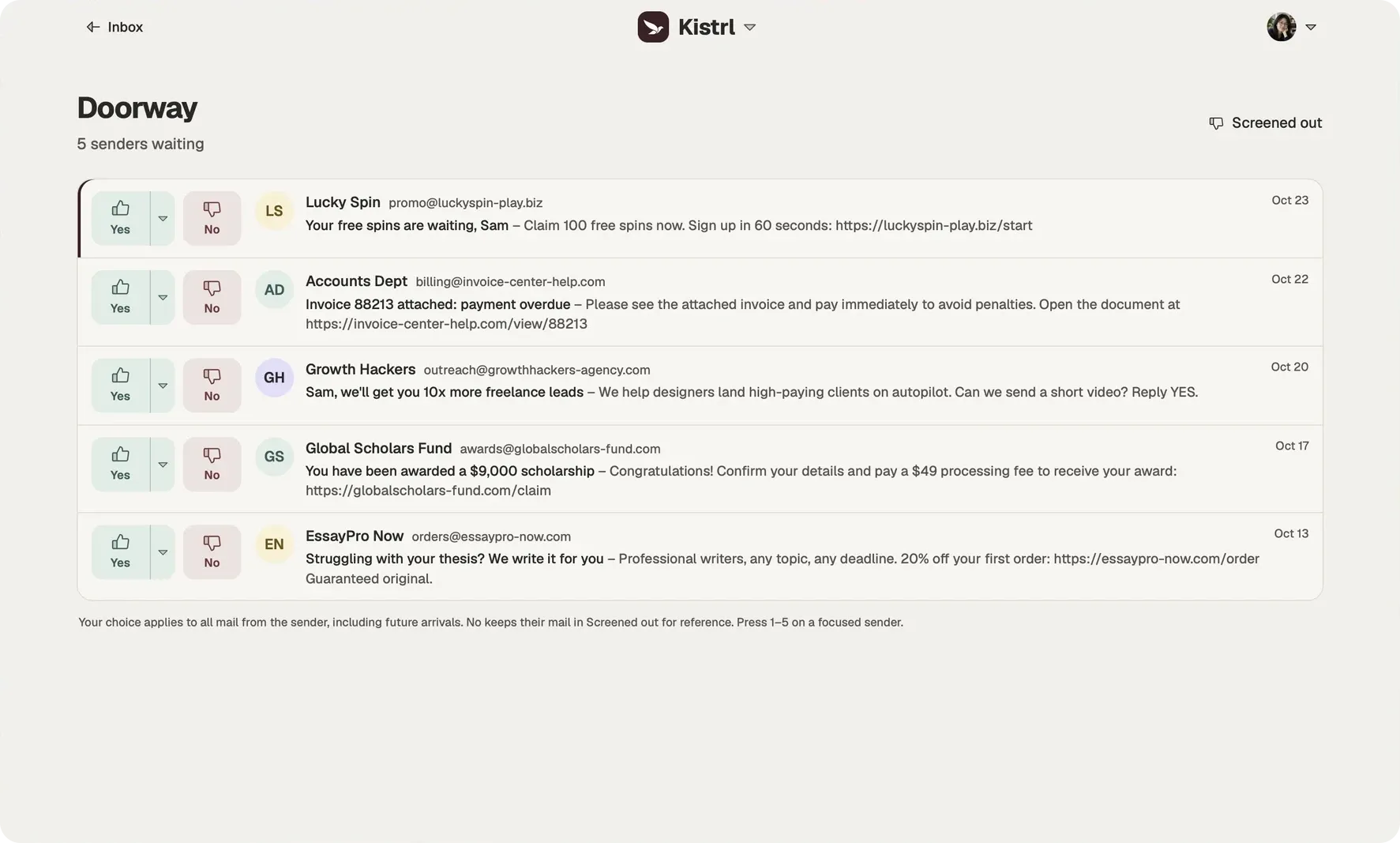
Look at who is writing.
Sam checks the sender and address before trusting a message about an overdue invoice.
Choose where they belong.
Yes sends a sender to Inbox. The menu offers Feed, Paper trails and Spam; No keeps mail in Screened out.
Keep that decision.
The next message follows the sender’s routing. Sam can change the choice from Contacts later.