Unsubscribe, block, report or screen: what stops unwanted email
Each tool stops a different kind of unwanted mail, and each one works only after the mail has reached you. Here is which to use for which sender, and how screening removes most of the work.
An unwanted message arrives. Your mail app offers three buttons: unsubscribe, block, report spam. Most people choose one at random. The choice matters, because each button does a different thing, and the wrong one can make the problem worse.
Unsubscribe: for senders that follow the rules
Unsubscribing asks the sender to remove you from a list. It works when the sender is a real organisation that obeys the law: a shop you bought from, a newsletter you joined, a service you use.
Use the unsubscribe control that your mail app shows at the top of the message, when there is one. It sends the request in a standard way, and you do not need to visit the sender’s page.
Do not use it for a sender you do not recognise. A link in a message from a stranger can lead anywhere, and using it confirms that a person reads your address.
Block: for one sender who will not stop
Blocking tells your own mail service to refuse or hide mail from one address. The sender is not told.
It works for a single person, or for a company that ignores your request to unsubscribe. It works badly against bulk senders who change their address often, because each new address needs a new block.
Report spam: for mail you never asked for
Reporting moves the message to spam and tells your mail service that this kind of mail is unwanted. Enough reports damage the sender’s reputation with that service.
Use it for real spam and for phishing. Do not use it for a newsletter you signed up for and now find boring. That teaches the filter the wrong thing, and it can hide similar mail that you do want.
Which one to use
| The sender is | Use |
|---|---|
| A shop or newsletter you once chose | Unsubscribe |
| A real company that ignored your unsubscribe request | Block, then report |
| One person you do not want to hear from | Block |
| A stranger selling something | Report spam; do not use any link |
| Someone who pretends to be your bank or a delivery firm | Report as phishing; do not use any link |
What all three have in common
Each one works after the mail has reached you. You were interrupted, you read enough to judge it, and you chose a button. Tomorrow a different sender arrives and you do it again.
Screening changes the order. A first-time sender waits outside your inbox until you decide. You make the same judgement, at a time you choose, and only once for each sender. Strangers no longer interrupt you, so most of the unsubscribe, block and report work goes away.
In Kistrl
In Kistrl, every new sender waits at the Doorway. One key sends the sender, and everything they send later, to the right place: Inbox, Feed for newsletters, Paper trails for receipts, Screened out for senders you are not ready to decide on, or Spam.
For a shop that needs your address, give it a privacy address. If that address starts to receive mail you did not ask for, block or cancel the address, and your own address is not affected.
A stranger’s email is a decision, not an interruption.
Sam Tran studies and freelances. Unfamiliar senders are waiting outside the Inbox, where Sam can check them without mixing them into conversations.
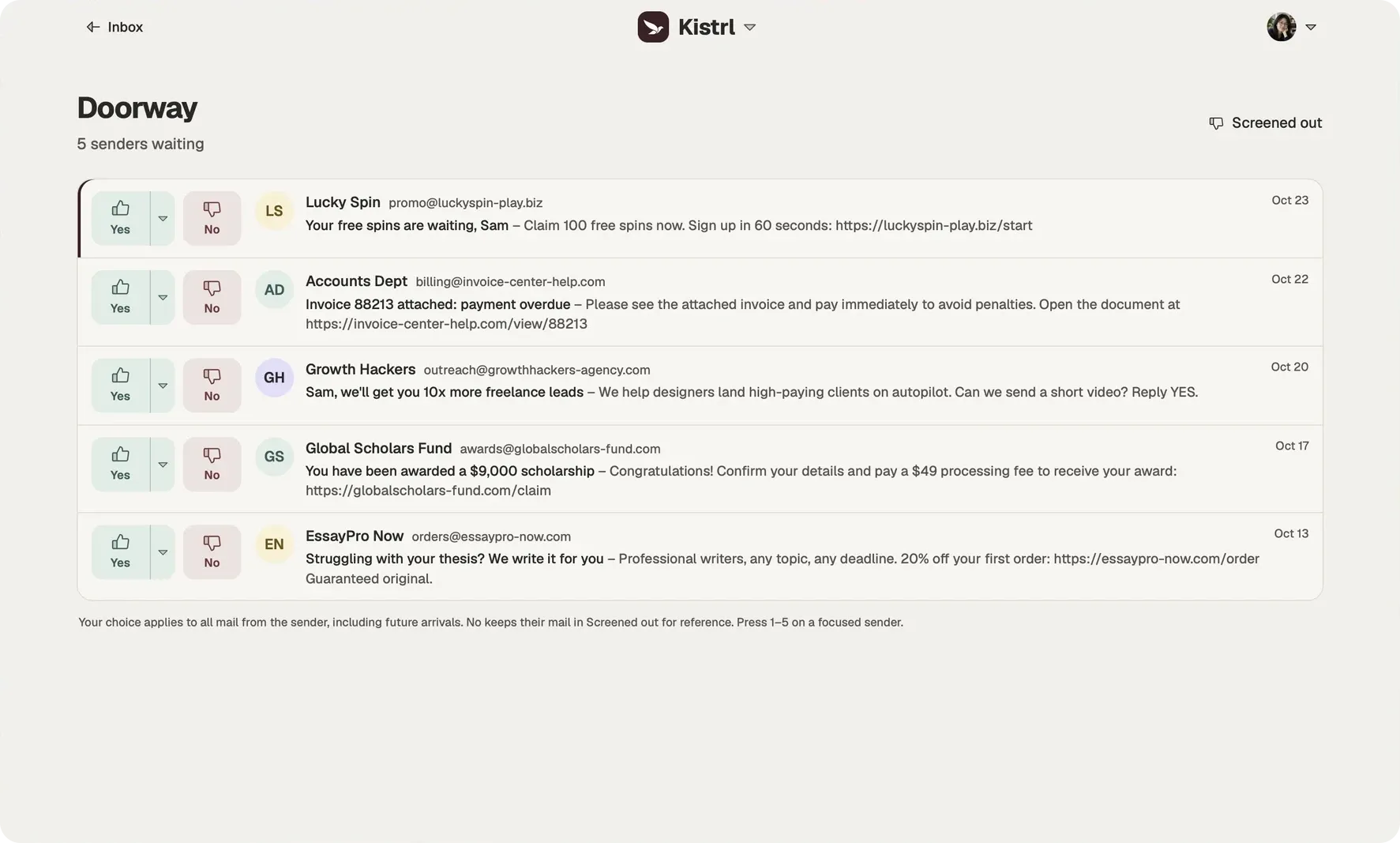
Look at who is writing.
Sam checks the sender and address before trusting a message about an overdue invoice.
Choose where they belong.
Yes sends a sender to Inbox. The menu offers Feed, Paper trails and Spam; No keeps mail in Screened out.
Keep that decision.
The next message follows the sender’s routing. Sam can change the choice from Contacts later.