Old mail that tidies itself away.
Most old email is never opened again. Recycling removes what you no longer need, by stream or by sender, and never touches what you are still using.
Mail has a shelf life
A newsletter is useful for a week. A delivery notice is useful until the parcel arrives. Spam is never useful. Yet all of it keeps using space long after anyone looks at it again. Recycling lets mail you no longer need delete itself, on a schedule you choose.
By stream, or by sender
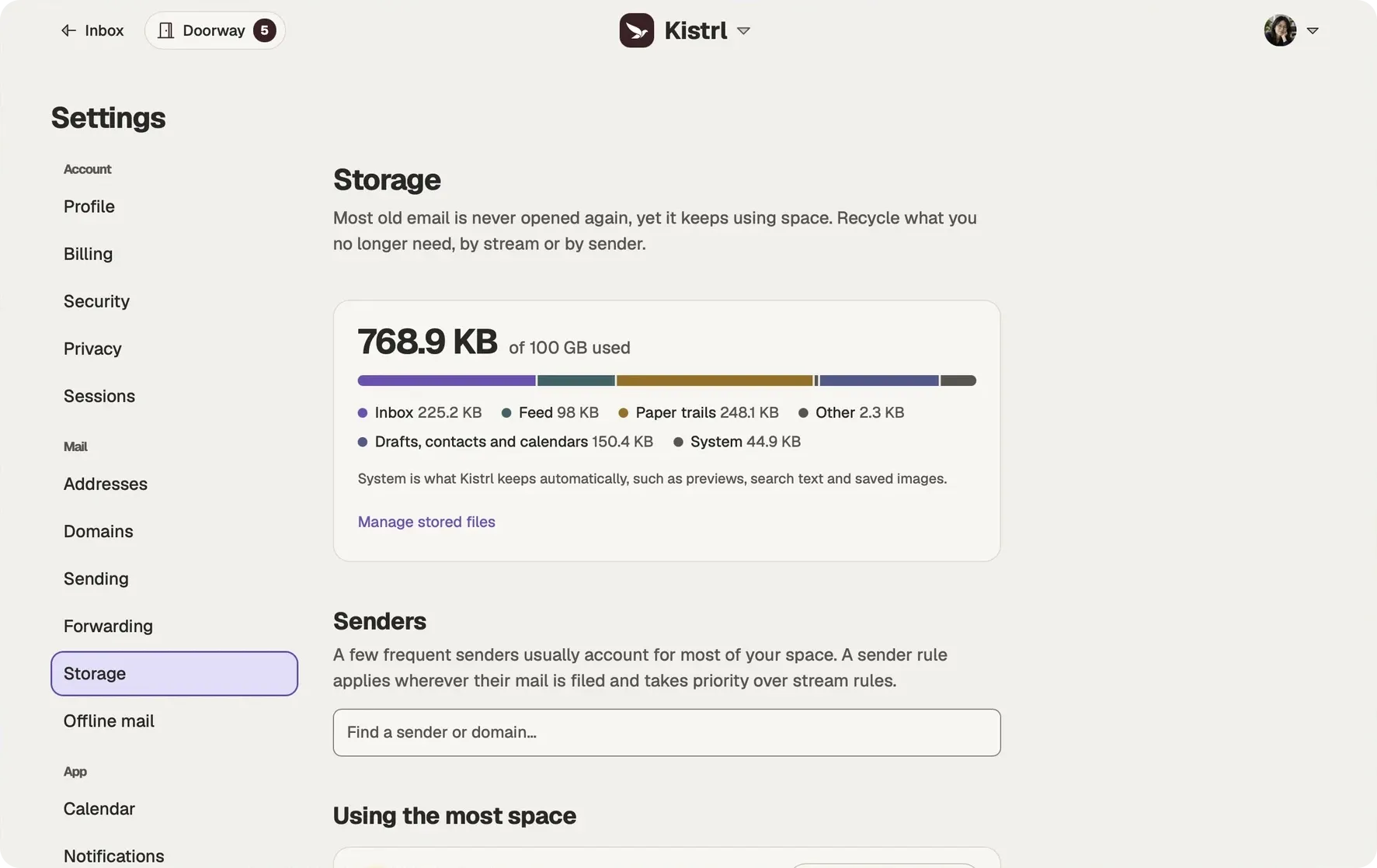
In Settings, then Storage, you see the space your mail uses, and your senders.
- For the Feed, Paper trails, Spam and Trash, pick an age after which mail is recycled, or keep it forever.
- For a single sender, set a rule of its own: a month for one shop’s mail, forever for your bank’s.
For Spam and Trash, the age counts from the day mail was marked as spam or moved to Trash. Recycle now empties them at once.
The Inbox is yours
Inbox mail is only recycled by a sender rule you choose. Mail that needs you never quietly disappears.
What recycling never touches
Recycling never removes conversations that are unread in your Inbox, marked Reply later, set aside or waiting to bubble up, in a collection or workflow, linked to an event or a draft, or still being forwarded. Recycled mail is deleted permanently after a set number of days, which Kistrl shows when you save a rule, so there is time to change your mind.
Choose how long each kind of mail stays.
Recycling has explicit controls and a grace period. Keep follow-up marks distinct from ordinary mail you no longer need.
Review the rules.
Check the retention settings for the kinds of mail you receive.
Keep obligations marked.
Reply later, Set aside and scheduled Bubble up conversations are protected from recycling.
Understand the grace period.
Review the grace period before changing a rule; recycling permanently deletes mail after that delay.
Understand recycling before changing it
Questions
How do I set up recycling?
Open Settings, then Storage. For the Feed, Paper trails, Spam and Trash, choose Set up recycling and pick an age, or choose Keep forever. For a single sender, set a rule on that sender.
Is Inbox mail recycled?
Only by a sender rule you choose. There is no stream-wide rule for the Inbox.
Can I get recycled mail back?
Recycled email is deleted permanently, a set number of days after it becomes eligible. Kistrl shows that number when you save a rule, and you can change the rule before then to keep the mail.
What does recycling never remove?
Conversations unread in your Inbox, marked Reply later, set aside or waiting to bubble up, in a collection or workflow, linked to an event or a draft, or still being forwarded.
Start your 30-day free trial
Pick a username and it becomes your Kistrl address. No card needed.