Moving to a new email provider without losing mail
Changing email providers does not have to happen in one day. A gradual move, forward first and switch later, keeps every message arriving while you update your address.
Most people put off changing email providers because it feels like moving house in an afternoon: every account, every contact and every subscription has to learn the new address at once. It does not have to work that way. A move in stages keeps mail arriving the whole time.
Stage 1: forward, and keep the old address
Start by making the new mailbox receive what the old one gets. Almost every provider lets you forward incoming mail automatically. Point it at your new mailbox and configure the old provider to retain its copy. Check the provider’s forwarding rules and send a test message before relying on the setup.
Your old address keeps working. Its existing history stays at the old provider, so trying a new inbox does not require importing the unread backlog. Forwarding brings new arrivals; it does not synchronize sent mail, read marks, labels, folders or deletions.
Stage 2: update the important accounts first
Change your address where it matters most: your bank, your government accounts, your employer, your password manager, your closest contacts. Then the services you use often. Leave the long tail; forwarding catches it.
Use the change to tidy up. If you are giving out a new address anyway, consider giving each service its own.
Stage 3: if you own a domain, move it
If your address is on your own domain, moving is mostly a change in DNS, the system that tells the internet where your domain’s mail should go.
- Verify ownership at the new provider, usually with a DNS record.
- Add the sending records the provider gives you, such as SPF and DKIM, so mail you send from the new service is trusted. A DMARC record tells receivers what to do with mail that fails those checks.
- Switch the MX records last. They decide which servers receive your domain’s mail. Change them only when the new provider says it is ready to receive.
Records can take a while to spread, so expect a few hours where some mail still arrives at the old provider. Keep forwarding on until the old mailbox goes quiet.
Stage 4: keep the old mailbox for a while
Do not close the old account straight away. Keep it, forwarding, for a few months. When it has been quiet for a long time, export anything you want to keep and close it.
In Kistrl
Kistrl gives you an import-only address under Settings, then Forwarding: point your old provider’s forwarding at it, and that mail goes into your normal mailbox without ever being forwarded out again, so the two services cannot loop. To use your own domain, Settings, then Domains, sets up the DNS records in one click at Cloudflare, GoDaddy or IONOS, or walks you through them step by step at any other provider, and waits for Ready to receive before you switch any mail. Custom-domain activation may not be switched on for your service yet; Settings tells you. See Custom domains and Move your mail to Kistrl.
Keep the copies distinct
If you also want copies of eligible new mail sent directly to your Kistrl address, add a verified destination in Settings → Forwarding. The original stays in Kistrl. Imported arrivals are not forwarded back out, and enabling a destination does not send a historical backlog.
These are incoming copies, not two-way synchronization. Sent messages, read marks, labels, folders and deletions do not synchronize.
For eligible Personal accounts, after twelve paid months in total, the Kistrl address can keep forwarding to a verified destination when the owner leaves, for as long as Kistrl operates. This is forwarding-only service rather than continued access to the app.
Start fresh. Keep your old address working.
Forward new arrivals into Kistrl’s import-only address. Your old history can stay where it is while you try a fresh inbox.
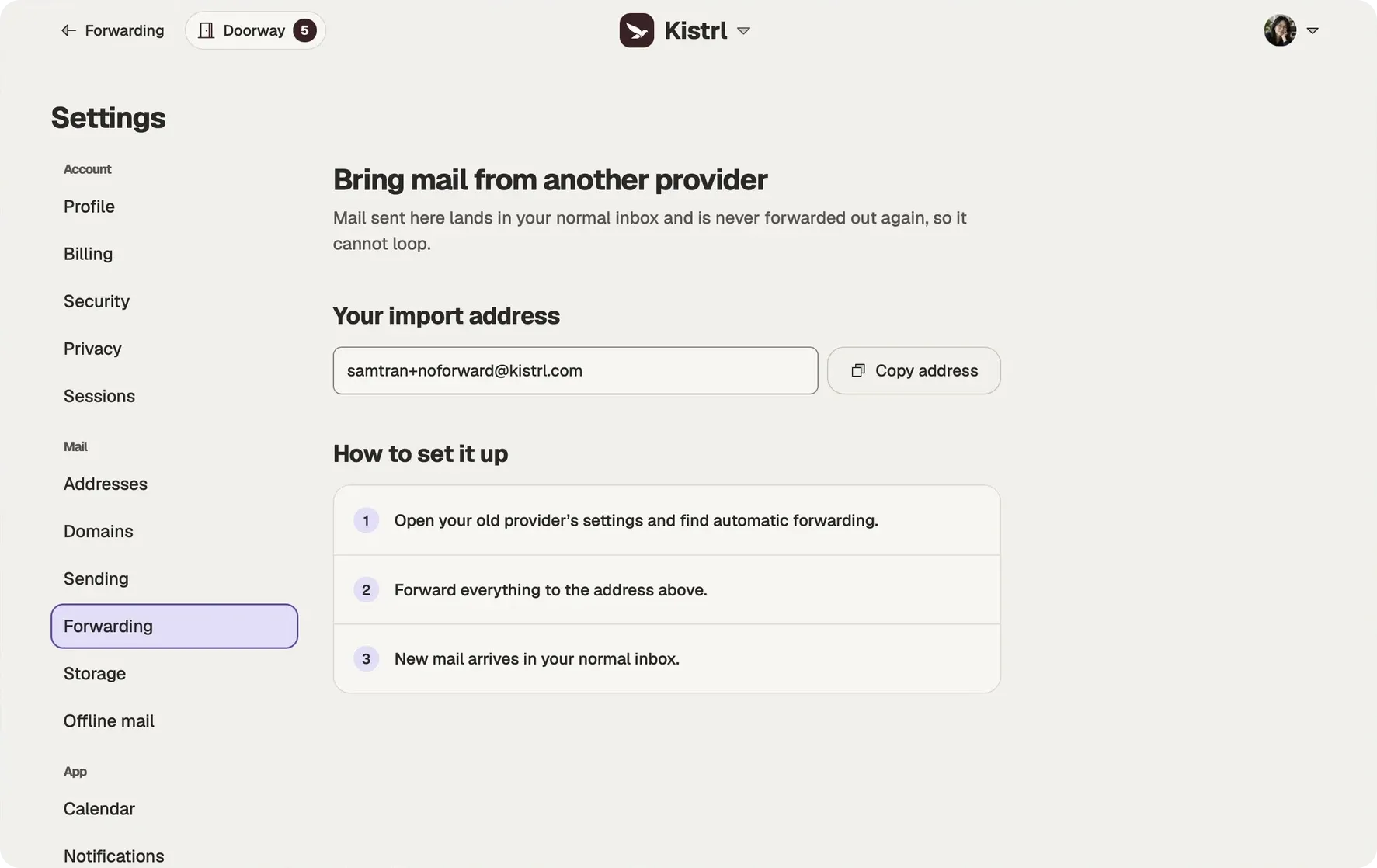
Keep the old provider’s copy.
Configure forwarding and copy retention at the old provider, then test with a new message.
Use the import-only address.
Imported arrivals are never forwarded out again, preventing a forwarding loop.
Keep copies when useful.
Eligible direct Kistrl arrivals can also go to a verified archive destination. Copies do not synchronize read state, folders or sent mail.